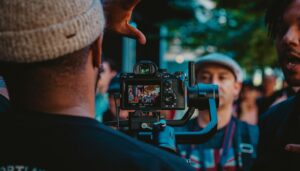

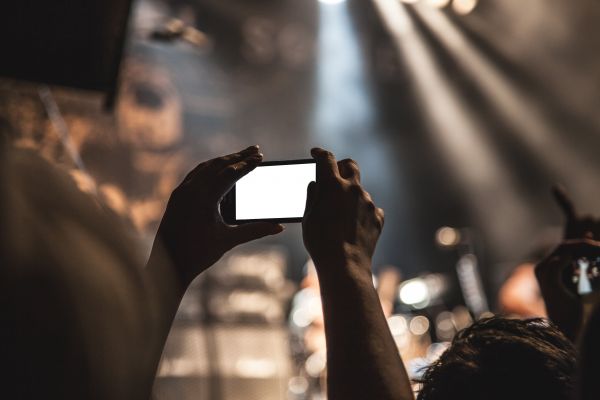
The revolution of filmmaking is happening in your pocket. Modern smartphones are equipped with cameras capable of capturing stunning, high-resolution video that rivals professional equipment from just a decade ago. For aspiring filmmakers, especially those in resource-constrained environments or those just starting their journey, the smartphone is the ultimate democratizing tool.
This tutorial provides seven essential tips to elevate your smartphone footage from casual video to cinematic storytelling, ensuring your work is optimized for both viewer engagement and search engine ranking.
- Master the Manual Controls
The biggest mistake beginners make is relying on the phone’s automatic settings. While convenient, auto-exposure and auto-focus can cause distracting shifts in brightness and sharpness during a shot.
The Fix: Download a third-party camera app (like FiLMiC Pro or Moment) that allows you to manually lock your exposure (ISO and Shutter Speed) and focus.
- Shutter Speed: For a natural, cinematic motion blur, your shutter speed should be approximately double your frame rate (the 180-degree rule). If you are shooting at 24 frames per second (fps), set your shutter speed to 1/48th of a second (or the closest available, like 1/50th).
- Frame Rate: Shoot at 24fps for a traditional film look, or 30fps for a slightly more crisp, broadcast feel.
- Prioritize External Audio
No matter how beautiful your video looks, poor audio will instantly destroy the professional quality of your film. The internal microphone on a smartphone is designed to pick up everything, including ambient noise and the echo of the room.
The Fix: Invest in an external microphone.
- Lavalier Mics: Small, clip-on microphones are excellent for dialogue and interviews.
- Shotgun Mics: Directional microphones mounted on a tripod or boom pole are ideal for capturing sound from a distance while rejecting noise from the sides.
- Syncing: Record audio separately on a dedicated recorder or a second phone and sync it in post-production. A simple clap at the start of the take (a visual and audio cue) makes syncing effortless.
- Stabilize Your Shots
Handheld smartphone footage is often shaky and distracting. Professional-looking video requires stability.
The Fix: Use a physical stabilizer.
- Tripods: Essential for static shots, interviews, and time-lapses. A simple smartphone mount adapter is all you need.
- Gimbals: These motorized stabilizers counteract your movement, allowing you to capture smooth, flowing shots while walking or running. This is the single most effective way to achieve a “cinematic” look with your phone.
- Harness the Power of Light
Filmmaking is the art of controlling light. The small sensor in a smartphone camera performs poorly in low light, producing grainy, noisy images.
The Fix: Shoot in well-lit environments, preferably using natural light.
- Golden Hour: The hour after sunrise and the hour before sunset provides soft, warm, and flattering light.
- Window Light: Position your subject near a large window for a beautiful, soft light source. Use a white board or reflector on the opposite side to fill in the shadows.
- Avoid Backlight: Do not place your subject directly in front of a bright window or light source, as this will silhouette them.
- Shoot Horizontally (Landscape Mode)
Unless you are specifically creating content for vertical platforms like TikTok or Instagram Reels, always shoot in landscape (horizontal) mode.
The Rationale: Traditional film and television screens are horizontal. Shooting vertically results in black bars on the sides of your video when viewed on a standard screen, wasting valuable screen real estate and immediately signaling amateur work.
- Utilize the Rule of Thirds for Composition
Composition is how you arrange the visual elements within your frame. The Rule of Thirds is a fundamental principle that makes your shots more dynamic and engaging.
The Technique: Imagine dividing your screen into nine equal parts with two horizontal and two vertical lines (like a tic-tac-toe board). Place your subject or the most important elements of your scene along these lines or at the intersections. This creates visual interest that is more pleasing to the eye than simply centering everything.
- Edit on the Go
The final step in the filmmaking process is editing. Modern video editing apps for smartphones are incredibly powerful and allow you to complete your entire project on the same device.
Recommended Apps:
- CapCut: Excellent for quick, social-media-focused edits.
- DaVinci Resolve (iPad/Tablet): A professional-grade editor now available on mobile devices for complex projects.
- LumaFusion: A popular, powerful multi-track editor for iOS and Android.
By applying these seven smartphone filmmaking tips, you can transform your mobile device into a powerful tool for creating high-quality, impactful stories. The technology is accessible; the only limit is your imagination.